
Jakarta, adminca.sch.id – Clear Equipment Logs are essential for admin staff who need to track the use, condition, repair history, and maintenance needs of office or institutional equipment. In many workplaces, shared items such as computers, printers, projectors, vehicles, or specialized tools are used by multiple people across different departments. Without organized records, it becomes difficult to know what equipment is available, who used it, what issues have occurred, and when maintenance is due.
Well-maintained equipment logs help prevent confusion, reduce avoidable damage, and support more efficient planning. For admin teams, these records are a practical tool for accountability and operational continuity.
Why equipment logs matter

Equipment Logs matter because they create a clear record of how equipment is being used and maintained over time. This makes it easier to monitor condition, respond to problems, and keep shared resources functioning properly.
Good logs can help:
- Track who is using equipment
- Record damage or repair issues
- Schedule routine maintenance
- Improve accountability
- Support replacement planning
When equipment records are clear, small problems are less likely to become expensive surprises later.
What information equipment logs should include
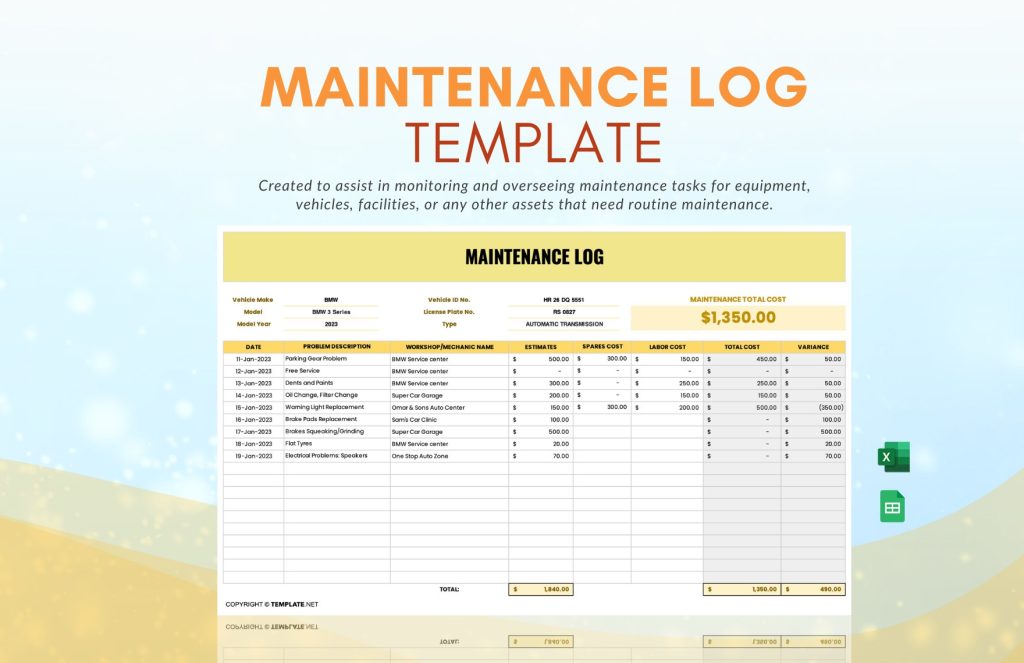
Useful Equipment Logs should be simple enough to update regularly but detailed enough to provide a reliable history of each item.
Important information often includes:
- Equipment name or ID number
- Date of use
- User or department name
- Condition at check-out and return
- Reported issues or damage
- Repair actions taken
- Maintenance dates
- Current status or location
This structure helps staff review equipment history quickly and accurately.
Tracking usage clearly and consistently
A major purpose of Equipment Logs is to make daily usage easier to monitor. When multiple people share equipment, consistent recordkeeping reduces confusion and helps identify patterns of use or recurring issues.
Helpful practices include:
- Use one standard log format
- Record entries immediately
- Assign clear equipment IDs
- Confirm returns and condition checks
- Store logs in a central and accessible location
These steps make the system more reliable and easier for staff to follow.
Using logs for repairs and maintenance
Strong Equipment Logs are especially useful when equipment needs repair or preventive maintenance. Clear records help admin staff understand what problems have occurred, how often they happen, and whether repairs have already been attempted.
This can support:
- Faster problem identification
- Better communication with technicians or vendors
- Scheduled maintenance planning
- Stronger oversight of repair costs
- More informed replacement decisions
A log that captures repair history is far more useful than a hallway conversation that no one remembers the same way.
Supporting accountability and efficiency
Well-managed Equipment Logs improve both accountability and operational efficiency. Staff can see what is available, what needs attention, and where responsibilities lie when issues occur.
This supports:
- Better resource management
- Fewer lost or overlooked items
- Clearer follow-up on damage or maintenance
- More efficient equipment sharing across teams
Organized records help admin staff manage equipment with more confidence and less uncertainty.
Final thoughts
Equipment Logs help admin staff track usage, repairs, and maintenance clearly by creating organized records that support accountability and operational planning. With consistent logging practices, offices and institutions can protect equipment, reduce confusion, and manage shared resources more effectively.
Good equipment management begins with good information. A clear log is often the simplest tool behind that clarity.
Explore our “”Knowledge“” category for more insightful content!
Don't forget to check out our previous article: Office Documentation: Organized Records That Help Admin Teams Work Clearly and Consistently